On Premises Github
Prerequisites
The server IP where the agent runs must be whitelisted in Github Cloud/Server.
Step 1: Generate an API Token
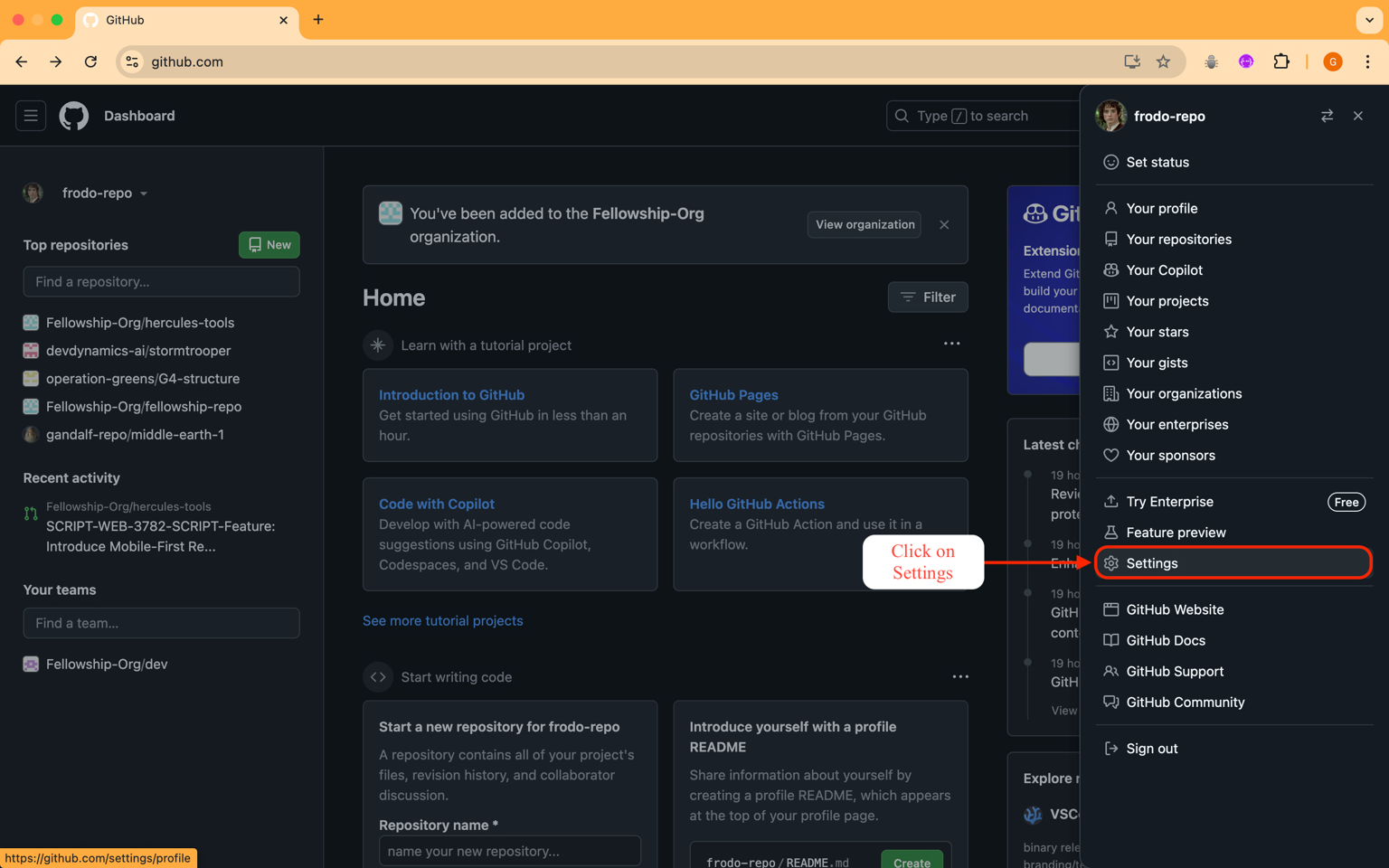
- Go to Settings > Developer settings in Github
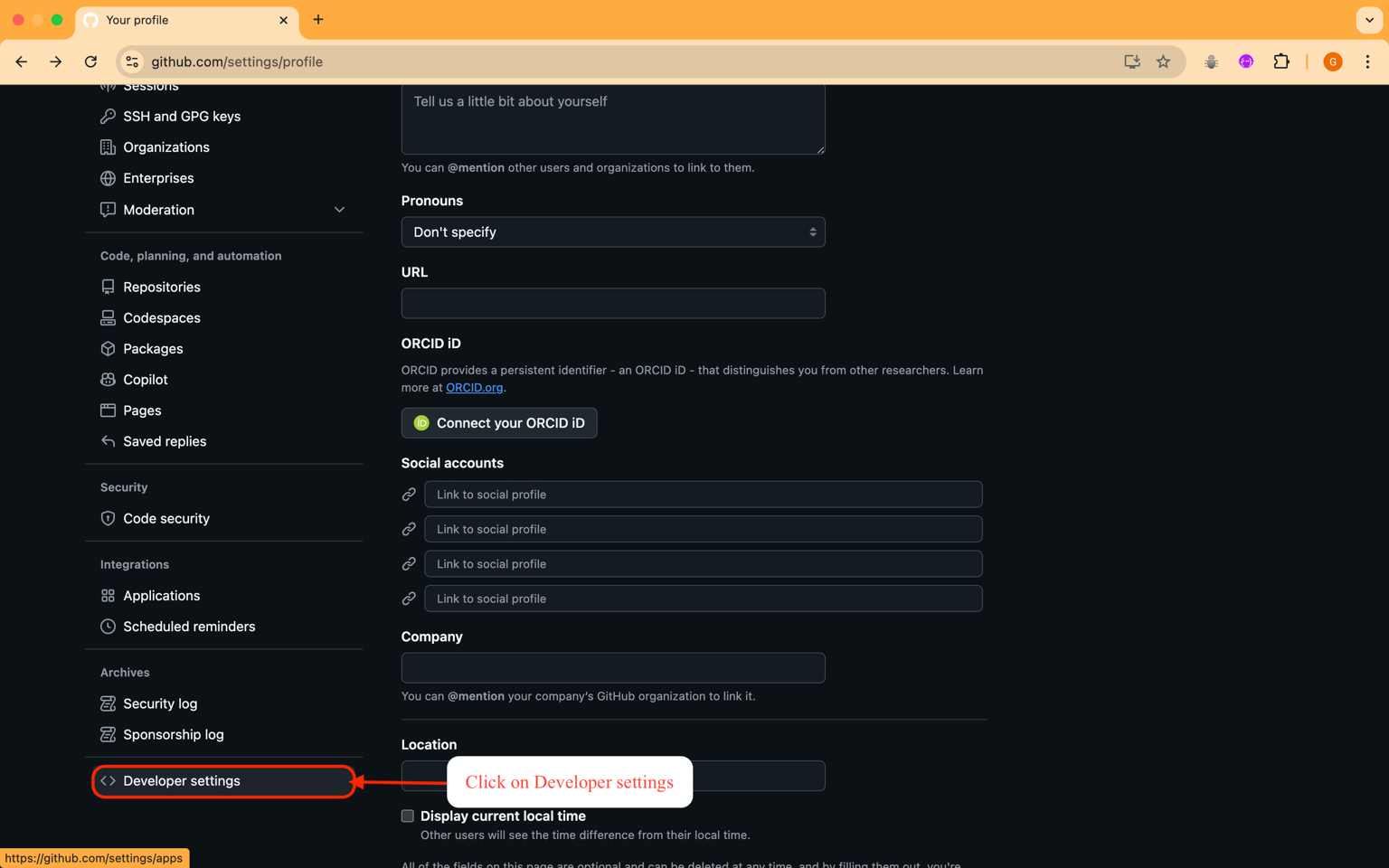
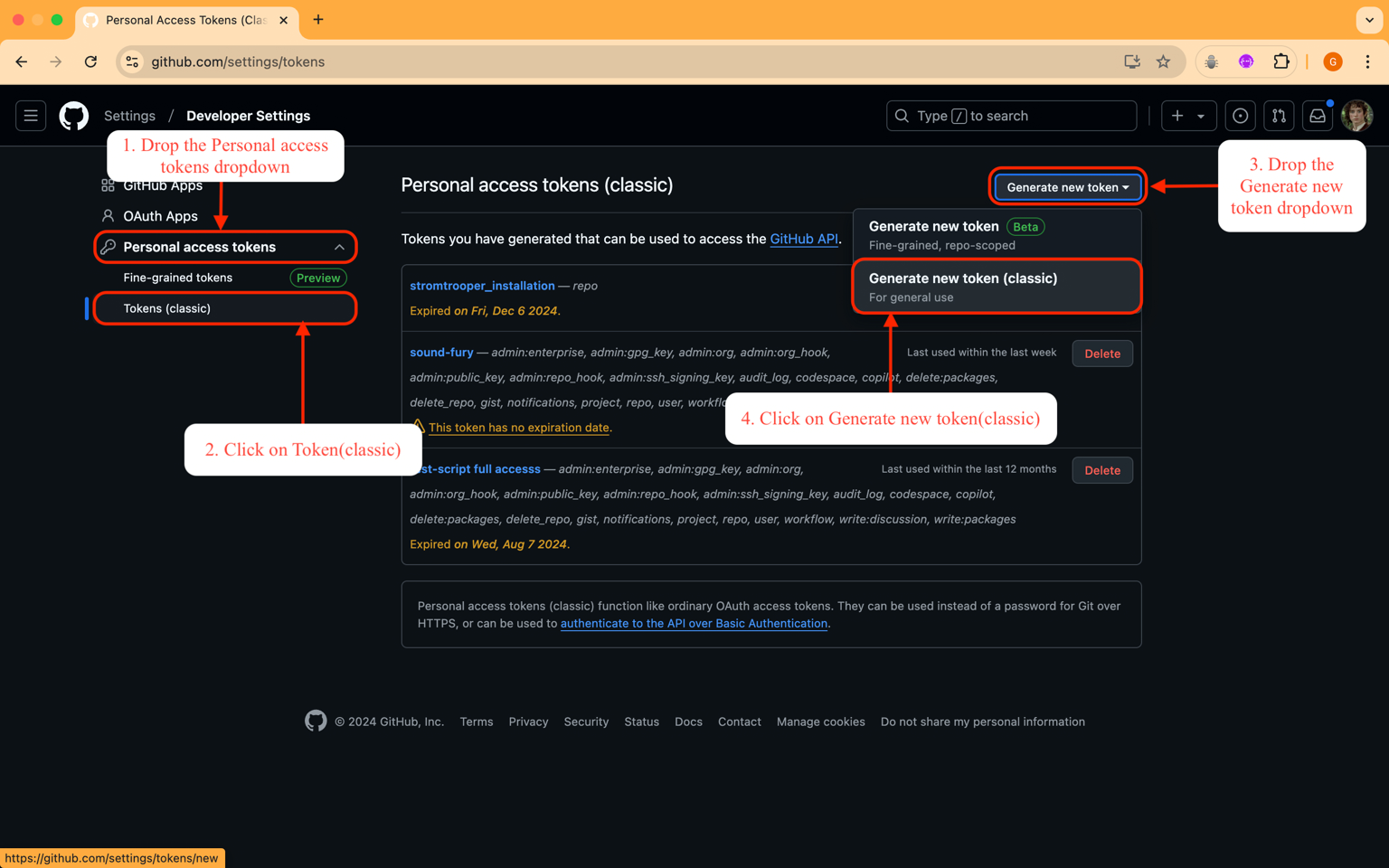
- Navigate to Tokens (classic) under Personal access tokens
- Select Generate new token (classic) from the dropdown
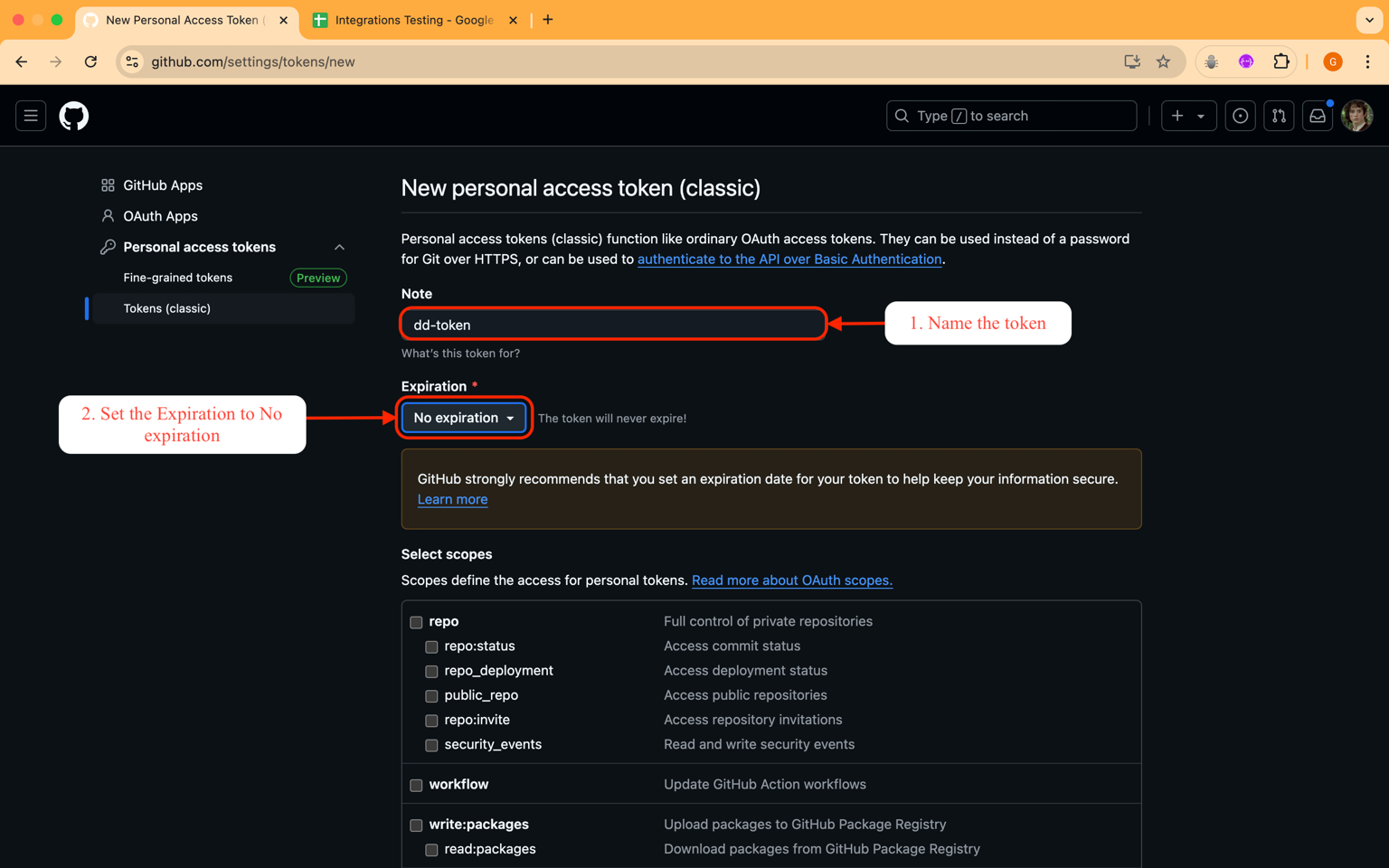
- Name the token (e.g.,
dd-token) and set expiration to No expiration- Note: Expired tokens require re-integration
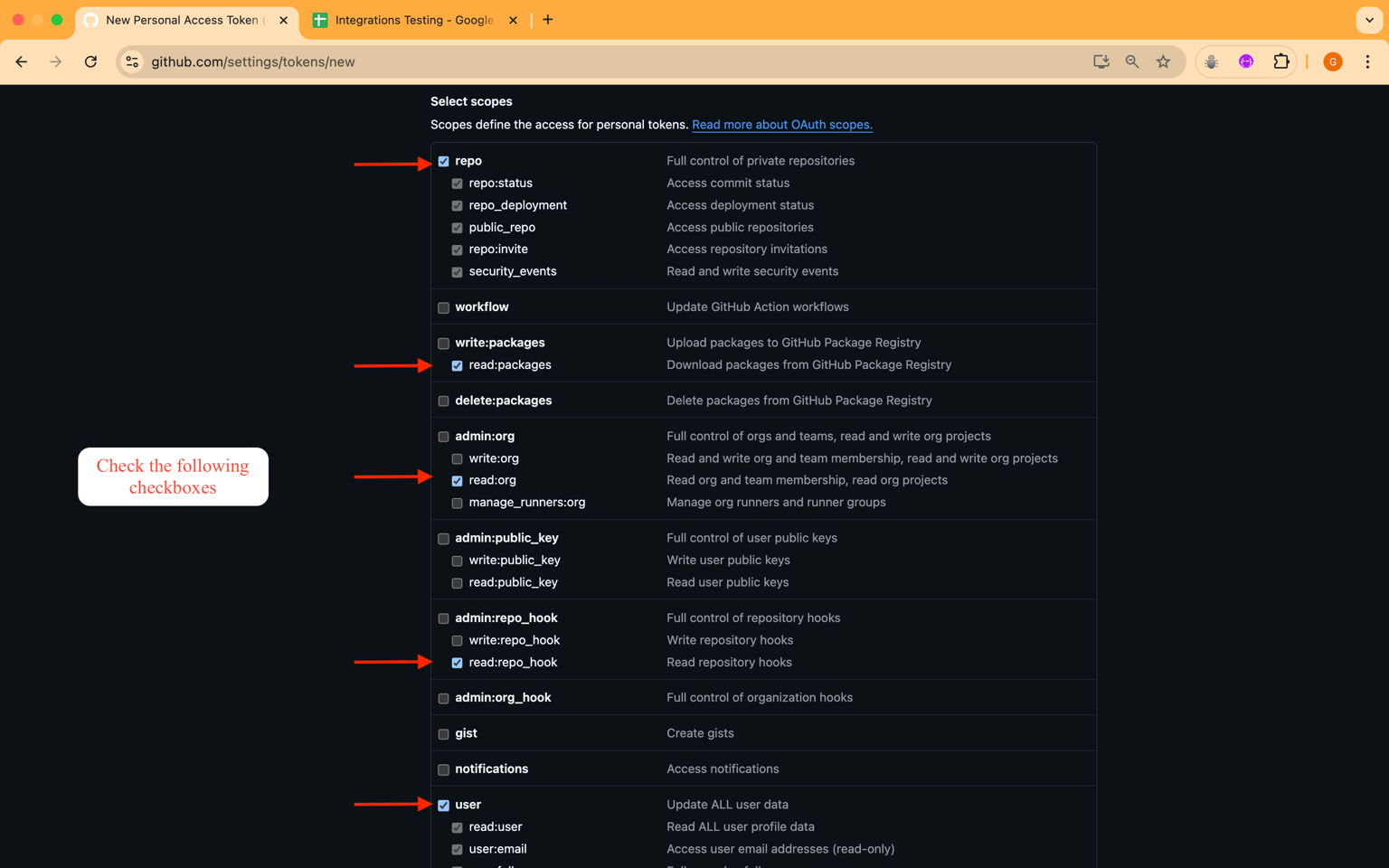
- Enable these scopes:
repo,read:package,read:org,read:repo_hook,user,read:discussion,read:project
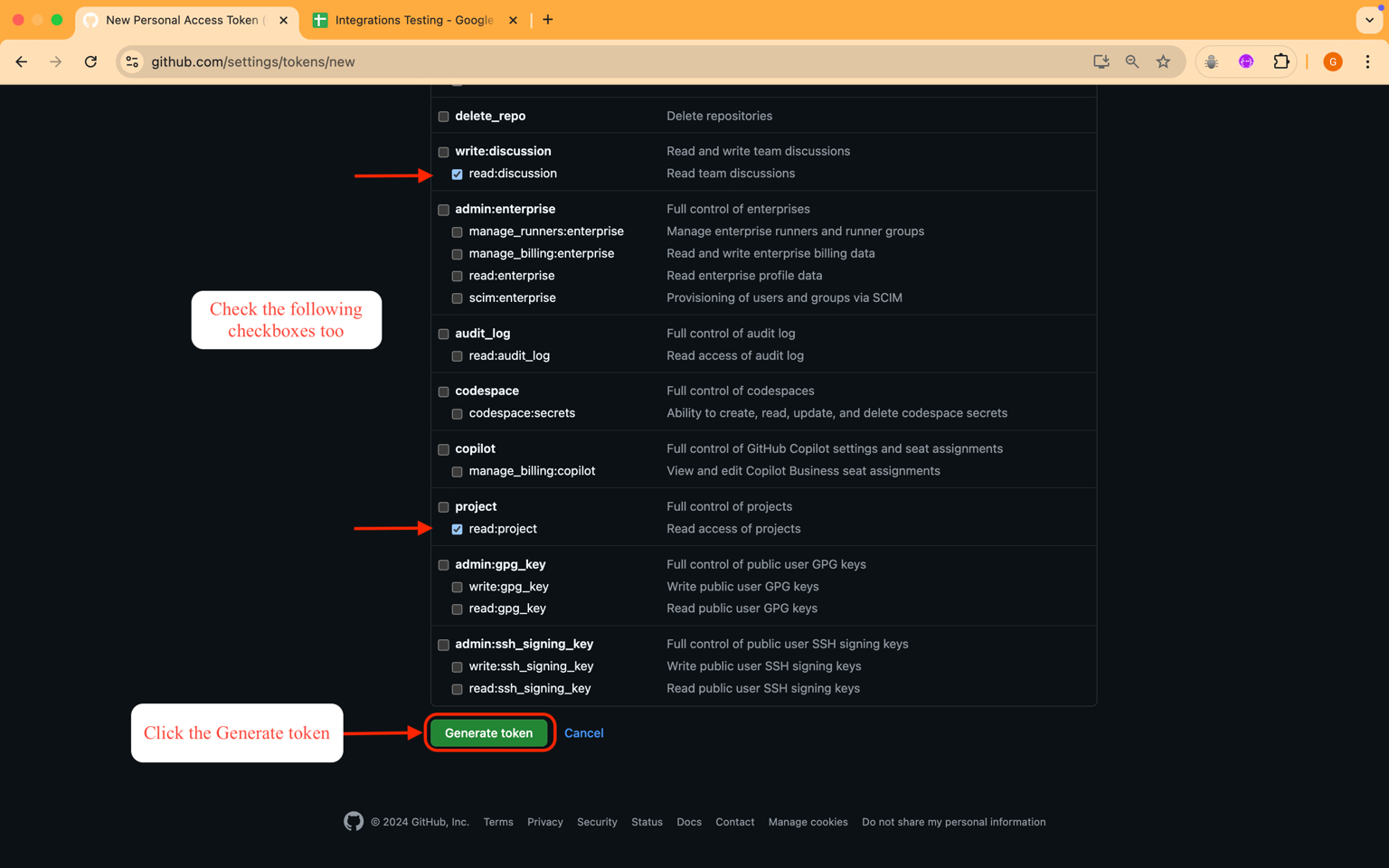
- Click Generate token and copy it
Step 2: Install On-Premises Agent
Refer to the On-Premises Agent Installation Guide for setup instructions.
Once completed, the GitHub integration is successfully established.