On-Premises Bitbucket
Prerequisites
- The server's IP address, where the agent will be running, must be whitelisted in Bitbucket Cloud/Server.
Follow these steps to seamlessly integrate with BitBucket:
Step 1. Generate an API Token
-
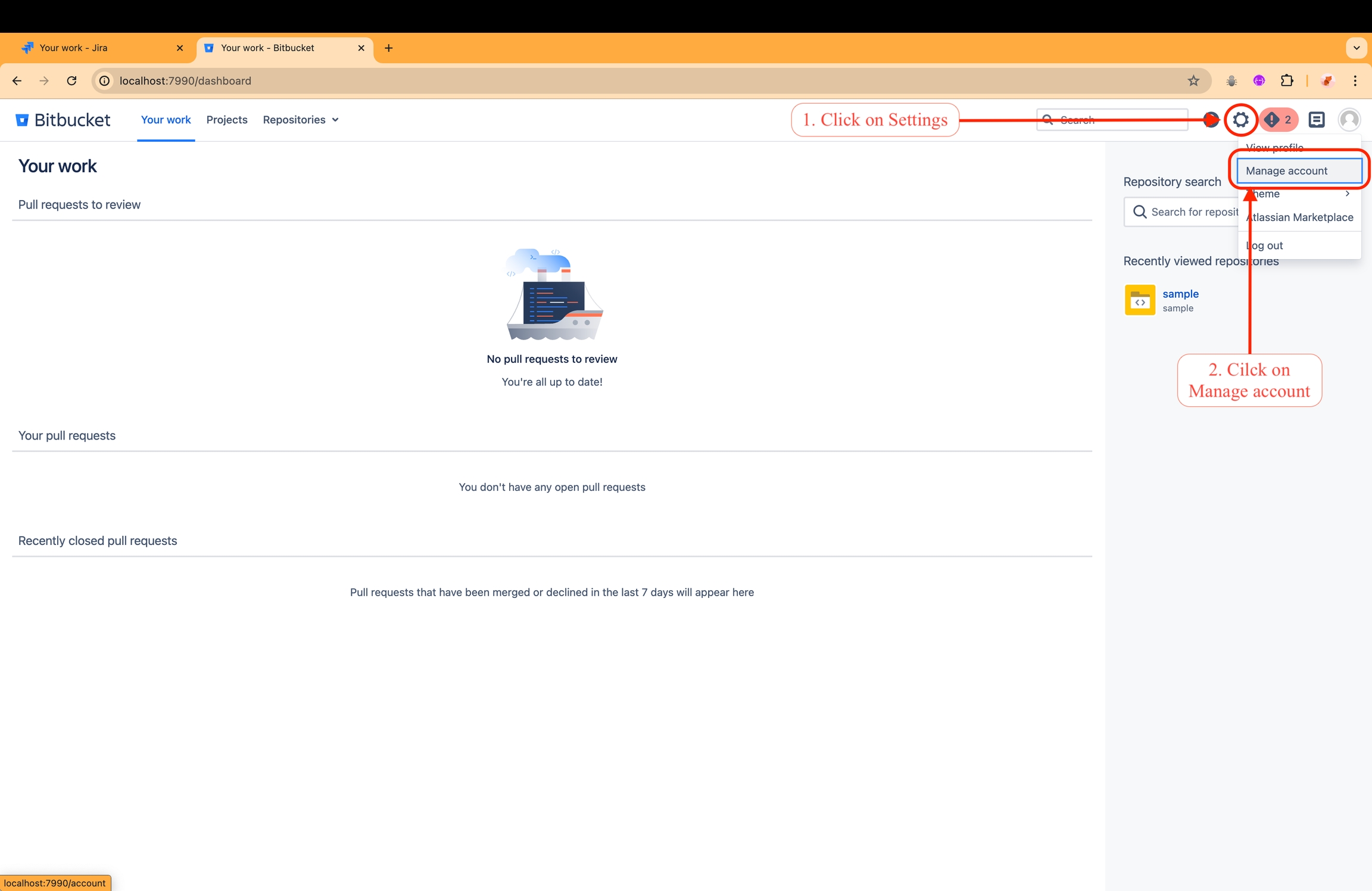
Navigate to Settings > Manage accounts in BitBucket.
-
Click on
HTTP access tokens.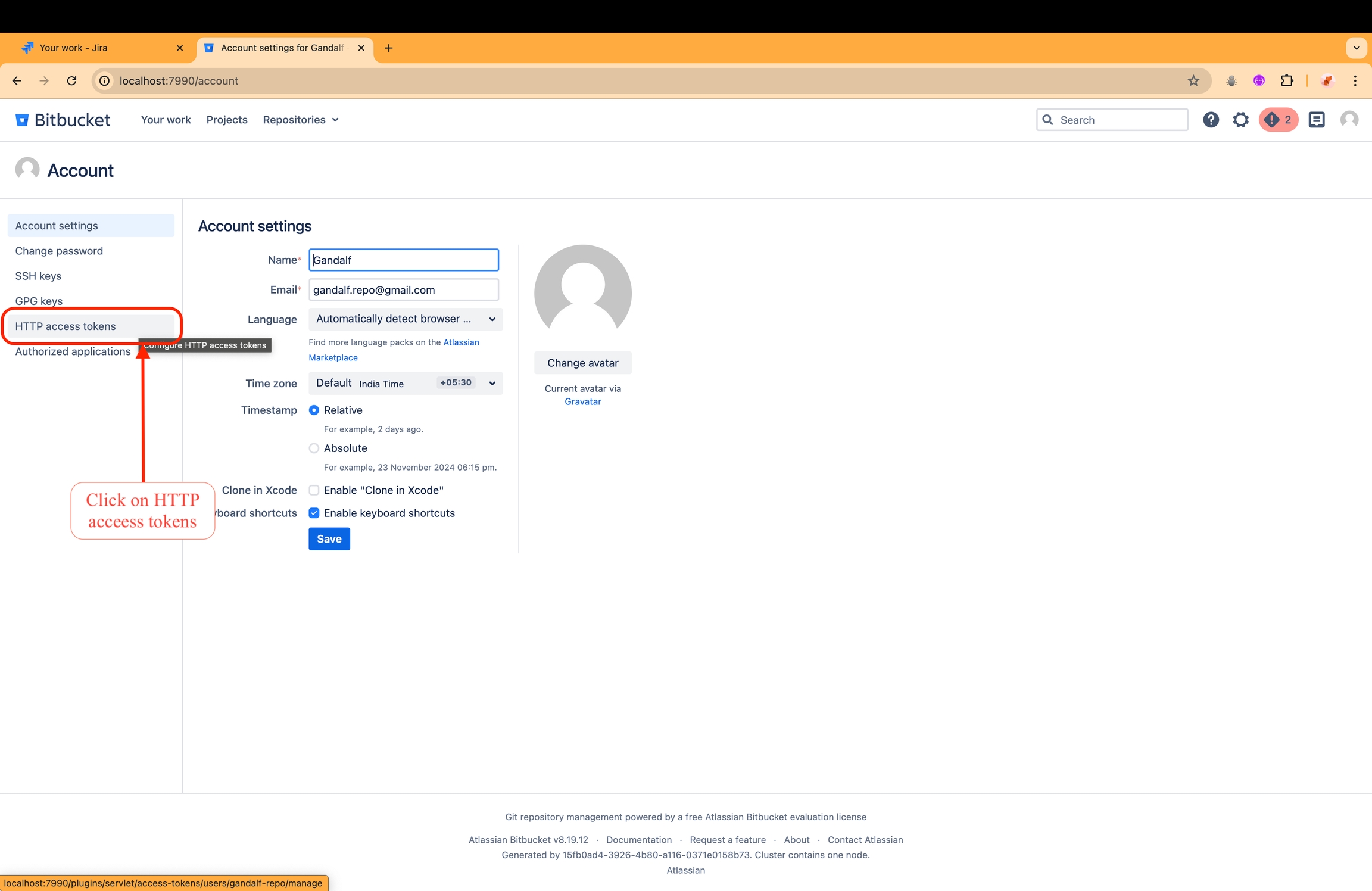
-
Click on
Create token.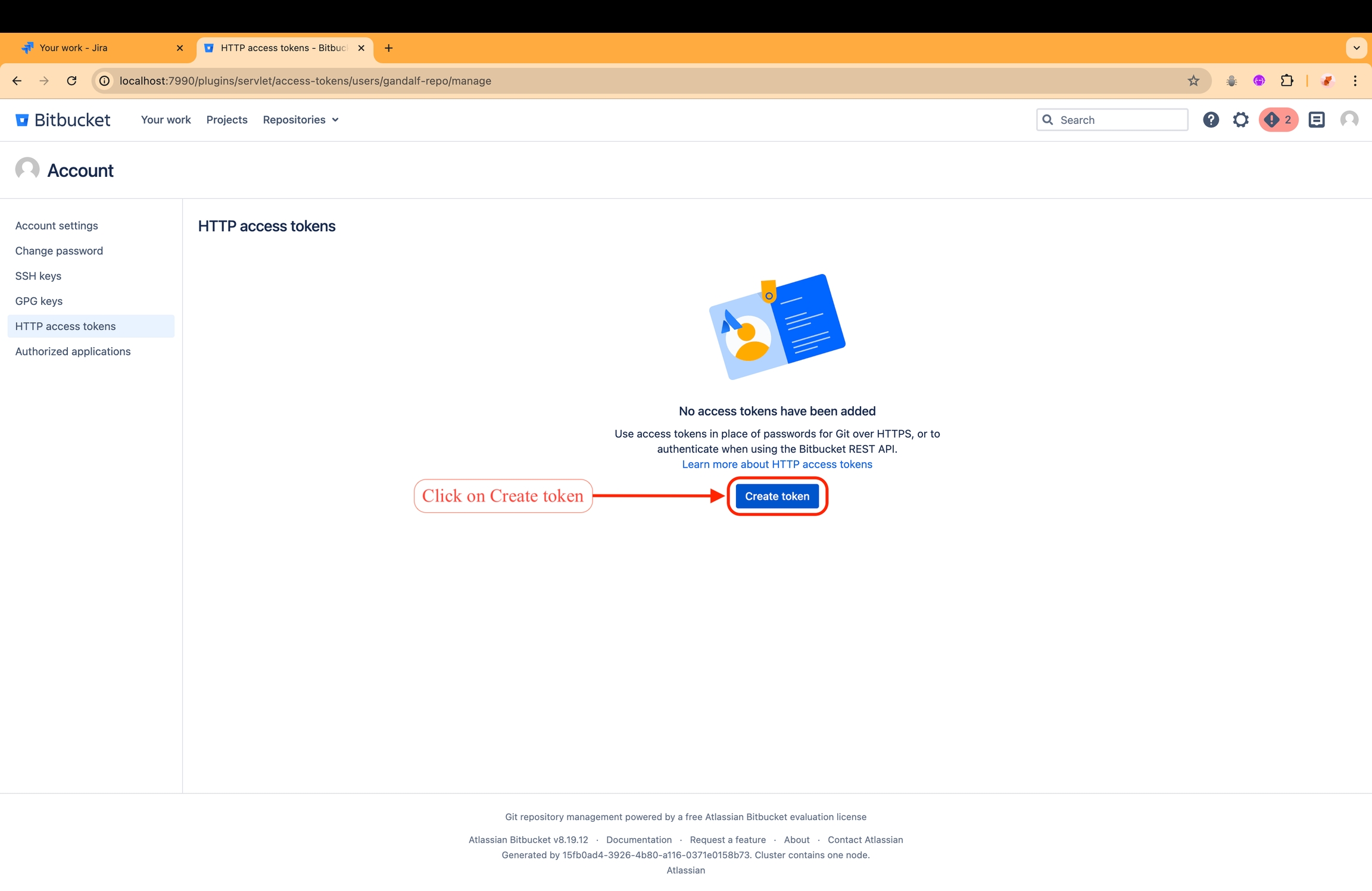
-
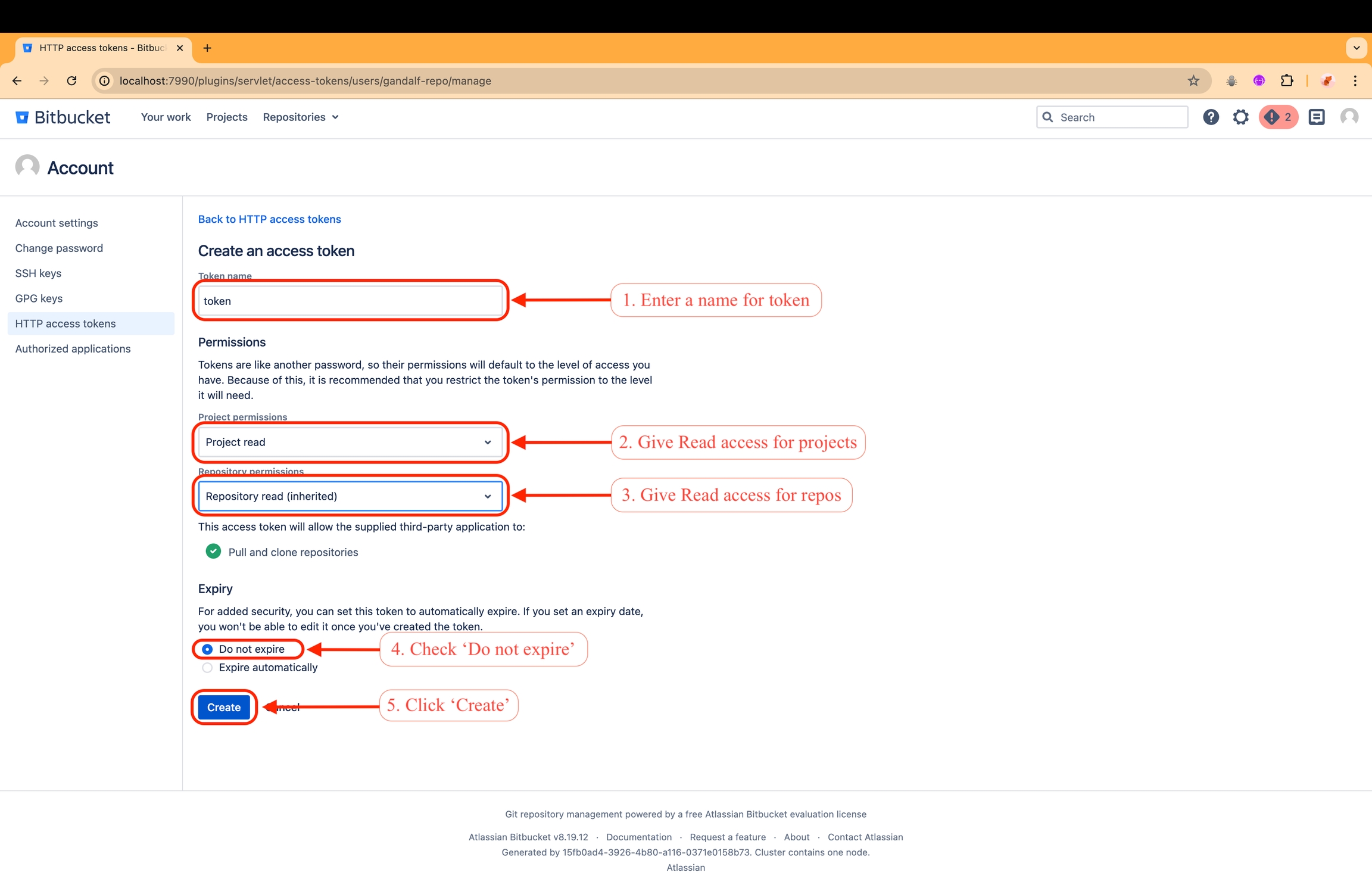
Provide a name for the token, such as
dd-api-token. -
Give read access to
projectsandrepositories. -
Set the token to
Do not expire.- Note: if the token expires, you'll have to perform the integration once again!!
-
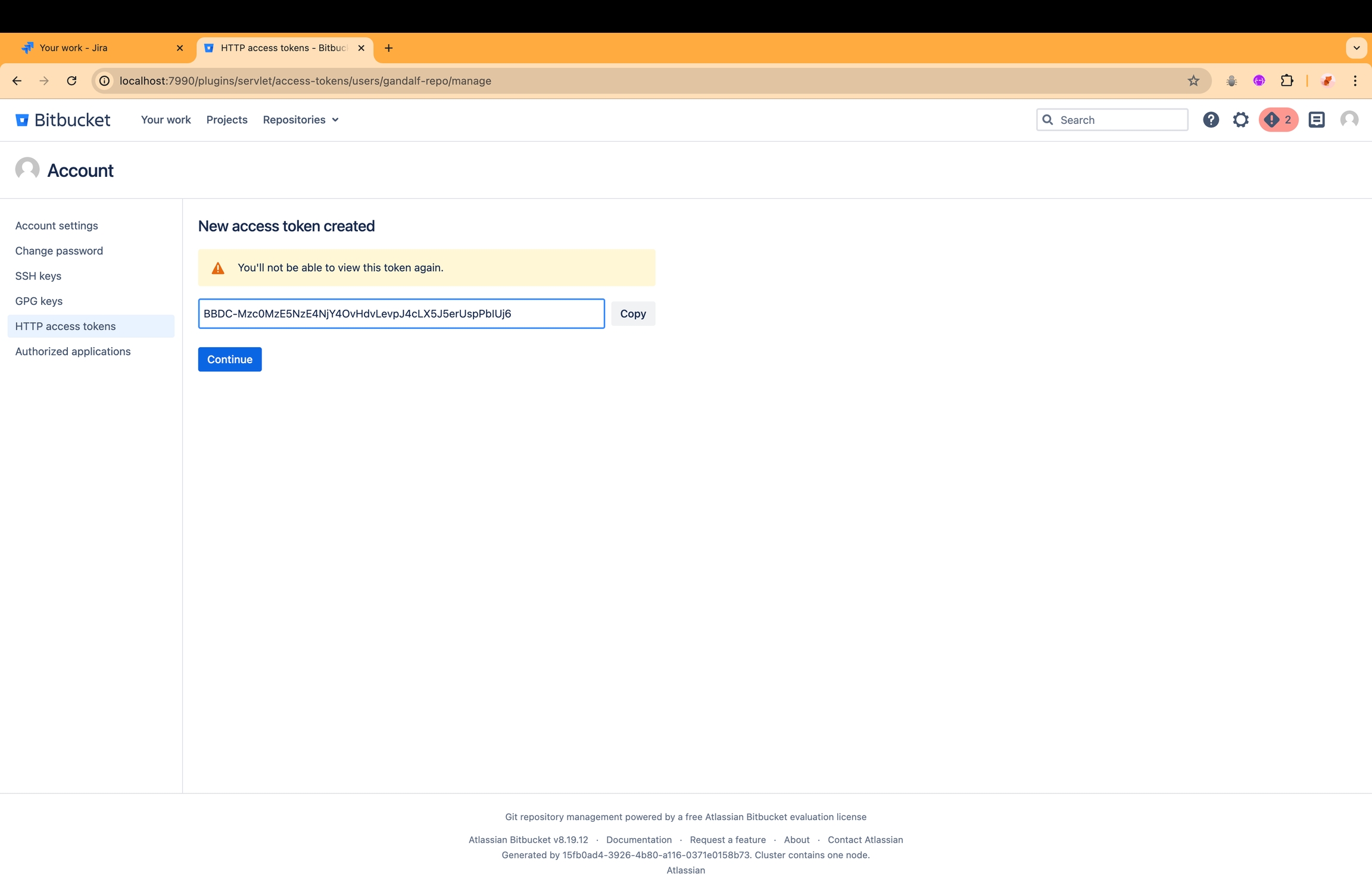
Copy the generated token.
Step 2. Install On-Premises Agent
- You can refer On-Premises Agent Installation Guide to successfully setup agent.
With these steps completed, the integration with on-premises BitBucket is successfully done!!